How Laundromat Gift Cards and Rewards Bring Customers Back
Gift cards, Store Gifts and reward points: three simple ways to turn one visit into many
By the LaunderPay team · · 4 min read
The easiest customer to win is the one you already have. Gift cards and rewards are two simple ways to keep regulars coming back, and to bring in new ones through the people who already love your store. Here's how they work for a laundromat or dry cleaner.
Why repeat customers matter most
A laundromat or dry cleaner lives on regulars. The customer who drops off wash & fold every week, or brings in shirts every Monday, is worth far more over a year than any one-time visit.
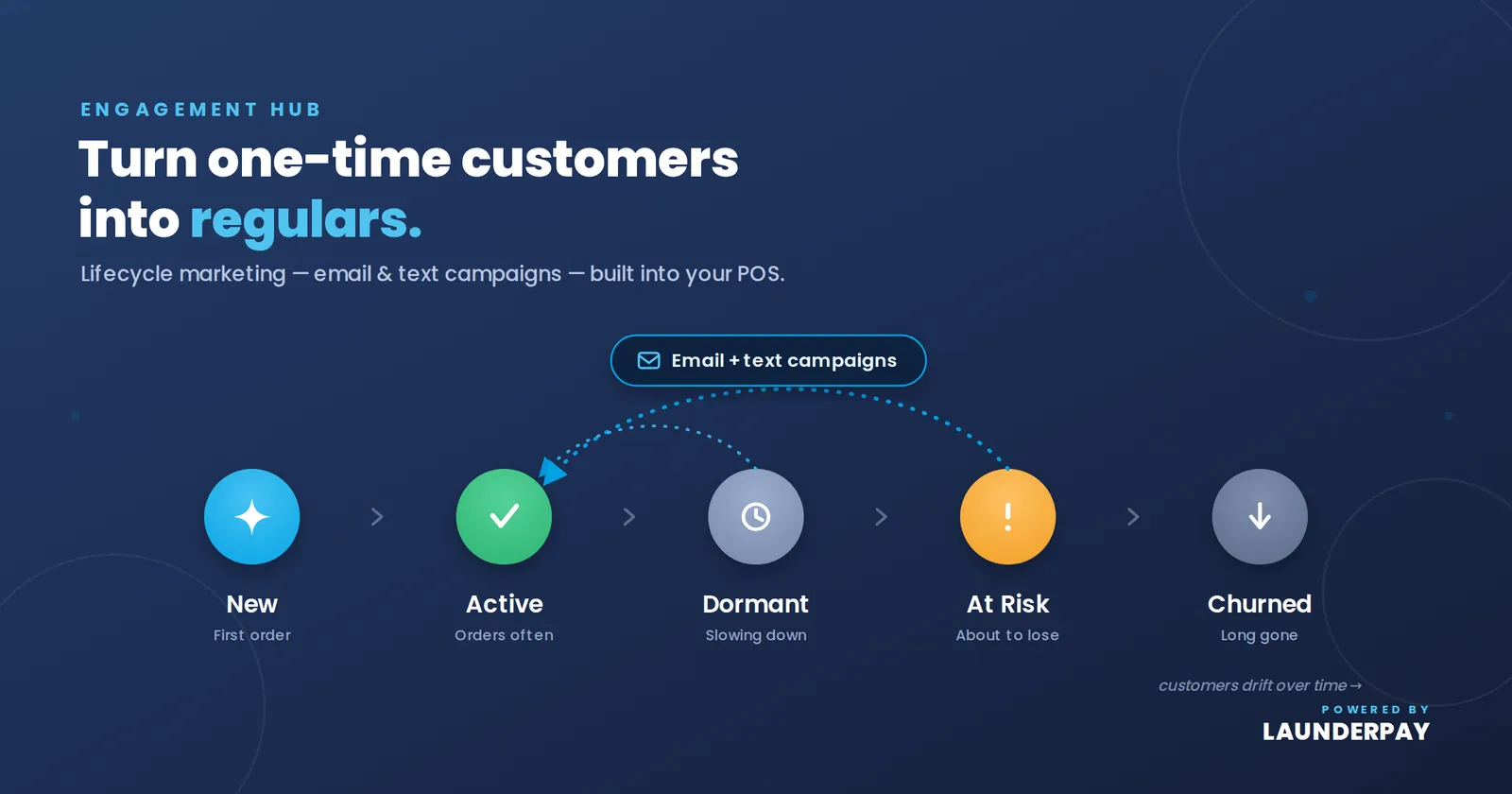
Winning a new customer takes ads, discounts and a bit of luck. Keeping one mostly takes good service and a reason to come back. Gift cards and rewards give you that reason, and they're easy to run when your POS does the work. For more ideas on keeping customers, see our guide to turning one-time customers into regulars.
Gift cards: new customers through someone else's gift
A gift card does two things at once. Someone who already loves your store pays you today, and the person who gets the card walks in for the first time with a reason to try you.
Laundry makes a better gift than it sounds. Think of a new parent, a busy neighbor, a college student, or a family member who just moved. A few weeks off laundry duty is a gift people actually use.
- Money comes in before the service. The card is paid for when it's bought.
- New faces at the counter. The person who gets the card may become a regular.
- Easy to say yes to. Customers can buy one at the counter or on your website.
Store Gifts: turn a bad day into a return visit
Every store has an off day. An order runs late, a shirt comes back wrong, a customer waits too long. A quick apology plus a $10 credit often turns a complaint into another visit.
Store Gifts work for the good days too: thank a long-time customer, welcome someone who just moved in, or run a small promo. Because the credit lands in the customer's account, they have a reason to come back and use it.
Reward points: a reason to choose you
When two laundromats are a few blocks apart, small things decide where people go. Points on every dollar are one of those things. Customers see their balance grow, and they come back to use it.
Keep it simple. A clear rule like "100 points = $1" is easier to remember than tiers and fine print. Let customers use some points now and save the rest, and they'll keep earning.
How it works in LaunderPay
Gift cards and reward points are built into LaunderPay. Each store turns them on in Settings › Loyalty Program.
- Sell or send a card. Sell one at the counter in the POS cart, or let customers buy one on your store's ordering site. You can also send a Store Gift with a reason.
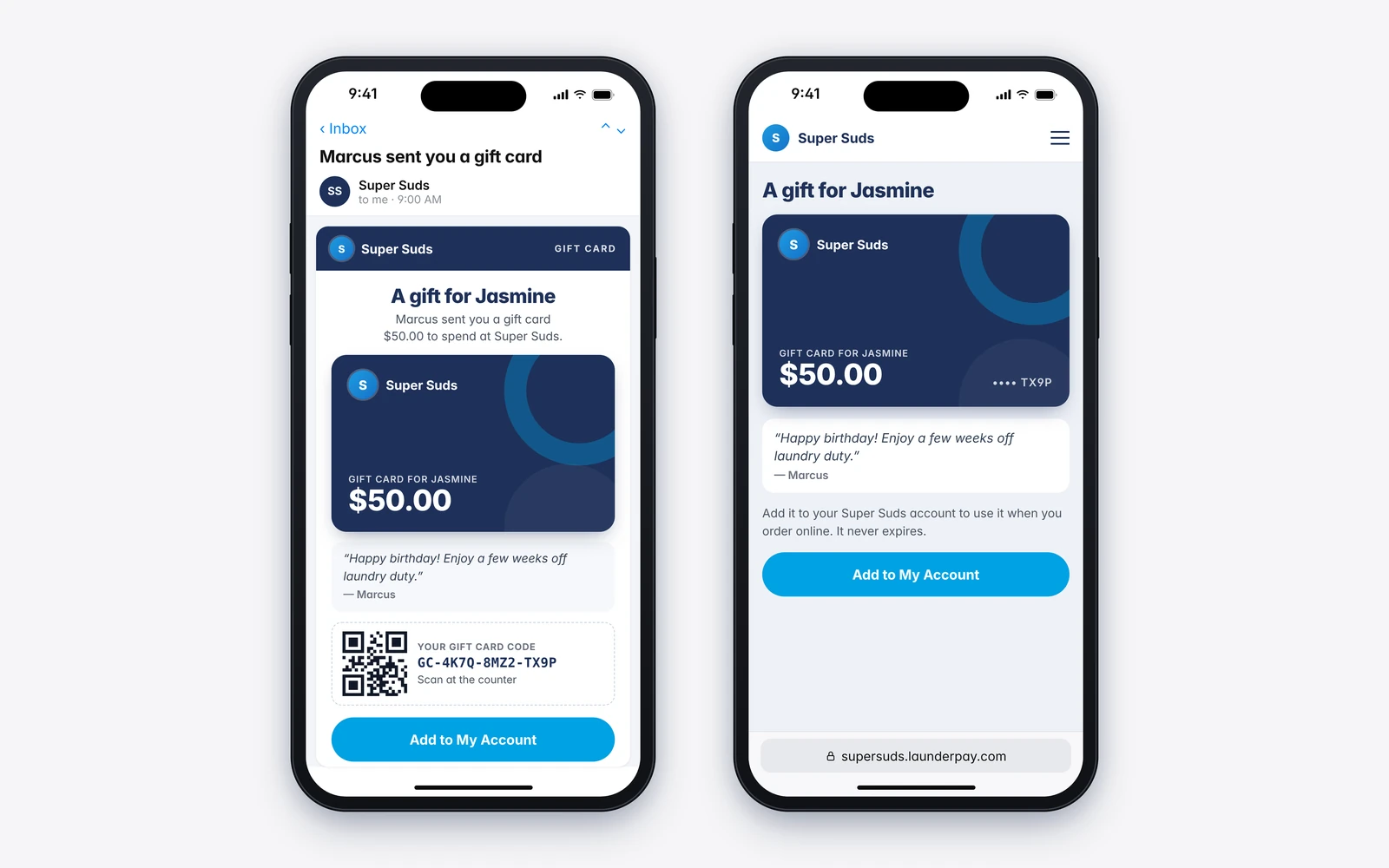
- The customer gets it by email or text. The email shows the card in your store's color, the code, and a QR code to scan at the counter. The text has a link to the card on your store's website.
- They add it to their account. One tap on Add to My Account saves it. New customers create an account in one step.
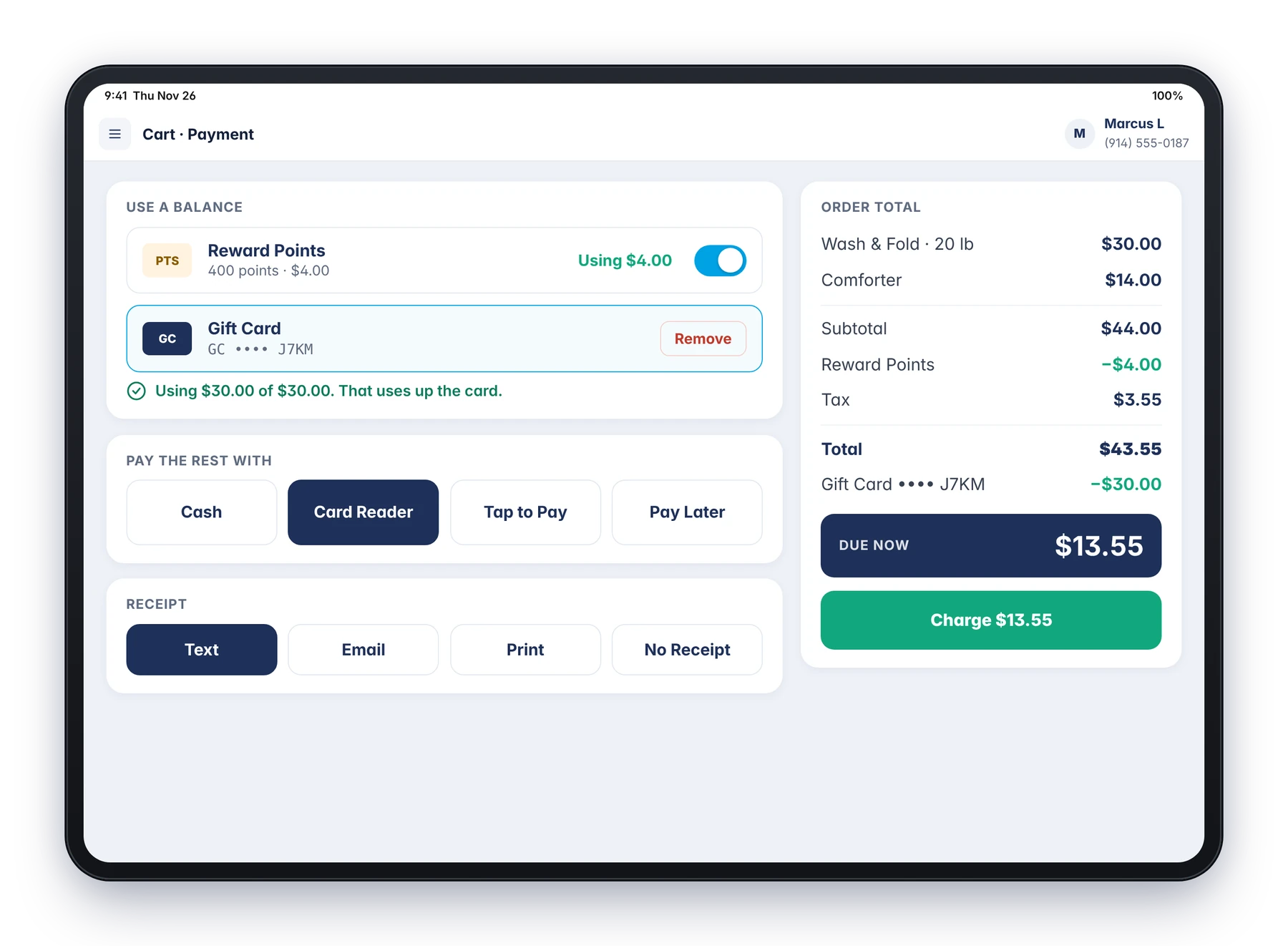
- They pay with it. At the counter, staff scan the QR code or type the code in the cart. Online, the card pays on its own at checkout. What's left stays on the card.
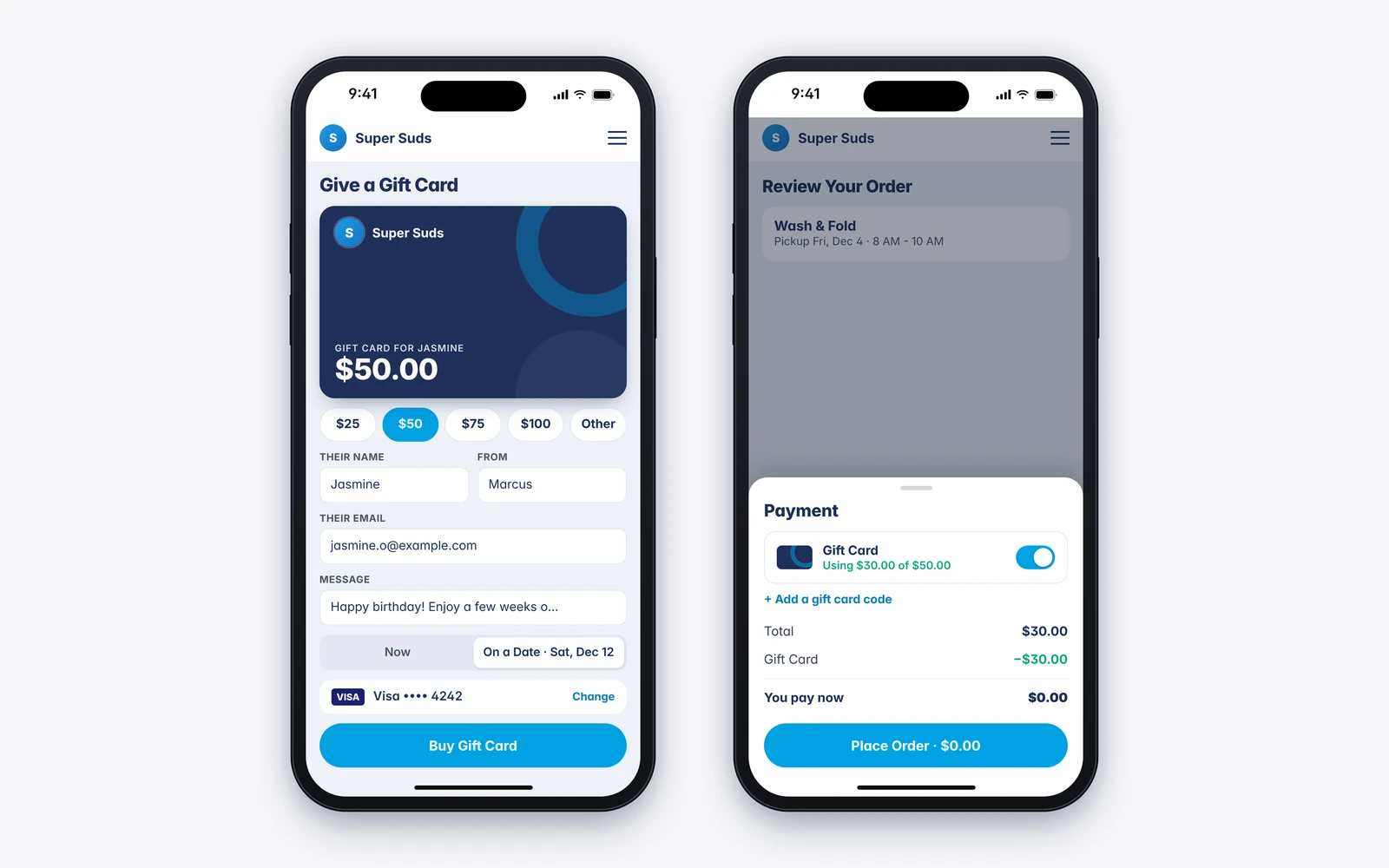
Customers who buy online can send the card right away or on a date they choose. It arrives at 9 AM that day, which makes birthdays and other special days easy.
Owners see every card on the Gift Cards page under Management: who it went to, what's left on it, and the total still owed to customers. A card can be resent with a new code or voided. Each customer's points and gift cards also show on their Wallet tab.
Your setup checklist
- Turn it on. Open Settings › Loyalty Program and switch on Gift Cards, Reward Points, or both.
- Pick your amounts and a card color. Choose the amounts you offer and a color for your cards.
- Set your points. Choose how many points customers earn per dollar and the minimums.
- Tell customers at the counter. A small sign works: "Gift cards available. Ask us."
- Add it to your website. Turn on Sell Online so customers can buy cards on your ordering site.
See every feature on our gift cards & loyalty page.
Frequently asked questions
Do laundromat gift cards expire? In LaunderPay, gift cards expire only if the store chooses. Each store decides in its settings.
Can a customer use part of a gift card? Yes. The gift card pays what it can, and the rest stays on the card for the next order.
What happens to a gift card if an order is cancelled? The gift card money and any reward points used on the order go back to the customer.
Do customers need an app to use a gift card? No. The card comes by email or text, and customers use it at the counter or on the store's own ordering site.
Are gift cards and rewards included in LaunderPay? Yes. They come with LaunderPay at $70 a month per store, with every POS feature included.
The Bottom Line
New customers are great, but regulars keep the doors open. Gift cards bring in new people through someone else's gift, Store Gifts turn a bad day into a return visit, and reward points give everyone a reason to come back.
With LaunderPay, the all-in-one POS built by laundromat owners, it's all built in: every POS feature for $70/mo per store, no contracts. Book a free demo to see it with your own store.