What Does a Wash & Fold Order Really Cost? (And How LaunderPay + CCI Show You)
A simple way to find your cost per pound, and the tools that track it for you
By the LaunderPay team · · 5 min read
Ask a wash & fold owner what they charge per pound and you'll get an answer in a second. Ask what that pound costs to wash, and it usually takes a lot longer. Here's a simple way to work it out, and how LaunderPay and CCI can show it to you on every order.
Why cost per pound matters
Most wash & fold shops know their price per pound by heart. Far fewer know what each pound costs them to wash. That gap is where profit quietly leaks out: a big bedding order that needed two washers, a dryer that ran an extra cycle, a customer who always shows up with "just a few more items."
When you know your cost per pound, pricing stops being a guess. You can see which orders make money, which ones barely break even, and whether a price change actually helps. If you're working on pricing right now, our post on wash & fold pricing strategies pairs well with this one.
The four costs in every order
Every wash & fold order has the same four costs. Some are easy to count. One is usually a guess.
- Machines. What each wash and dry costs you, at the price you'd charge a walk-in customer. This is the one most owners estimate.
- Labor. The time to weigh in, sort, load, fold, and bag.
- Supplies. Detergent, softener, dryer sheets, and anything special the customer asked for.
- Bags and delivery. Bags, tags, and the driver's time or delivery fee, if it's a pickup and delivery order.
Labor and supplies tend to be steady per pound. Machine cost is the one that swings from order to order, because it depends on how many machines the order really used and for how long.
Work it out by hand once
Here's a simple example. A customer drops off 45 lbs of laundry, and you charge $1.50 per lb, so the order is $67.50.
Your team splits it across two 40 lb washers at $7.50 each and one dryer at $2.75. That's $17.75 in machine cost.
| Line | Amount |
|---|---|
| Order total (45 lbs × $1.50) | $67.50 |
| Washer 14 (40 lb) | $7.50 |
| Washer 15 (40 lb) | $7.50 |
| Dryer 6 (30 lb) | $2.75 |
| Machine cost | $17.75 |
| Left after machine cost | $49.75 |
| Machine cost per lb ($17.75 ÷ 45) | $0.39 |
From there, take out labor and supplies to see your real profit on the order. Doing this once by hand is eye-opening. Doing it for every order, every day, is where you need your POS to help.
Track machine cost on every order
LaunderPay's Machine Cost & Profit works for every store, whatever machines and payment system you use. You add your machines once in Settings > Machines, with names, sizes, and prices. Dryers can be priced per use or per minute.
When your team picks a machine for an order, LaunderPay locks in that machine's price, so a later price change doesn't rewrite past orders. Each order shows its total, machine cost, and profit right on the screen.
The Cost Report adds it all up. Pick Today, 7 Days, 30 Days, This Month, or any dates, and see Orders, Sales, Machine Cost, Profit, Profit %, and Cost per lb. You can break it down by day, by machine, or by order, and download a CSV for your bookkeeper. Everyone on your staff can see the report, and only the owner can change the machine list.
If you use CCI FasCard: WDF ProLink
For FasCard stores, LaunderPay goes a step further with WDF ProLink. When an order goes In Progress, LaunderPay links it to a WDF card in FasCard on its own. (You can also tap Link to FasCard Now at Collected.) Every wash and dry on that card then shows on the order, with live status like "Running · 9 min left" and the cost from FasCard.
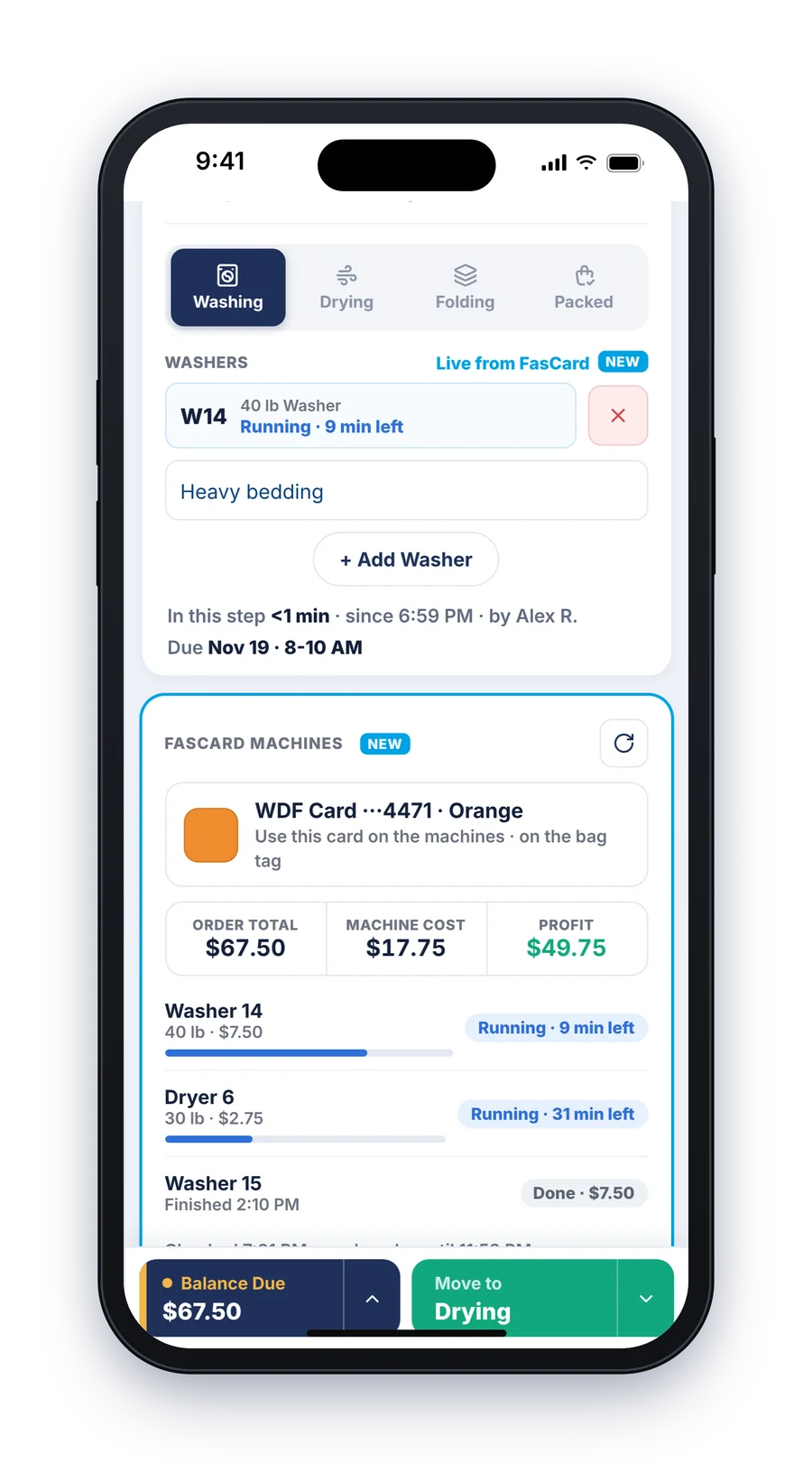
The WDF card colour shows on the order and prints on the bag tag, so whoever is at the machines grabs the right card for the right bag. When the order moves to Ready, Out for Delivery, Completed, or Cancelled, the link closes by itself.
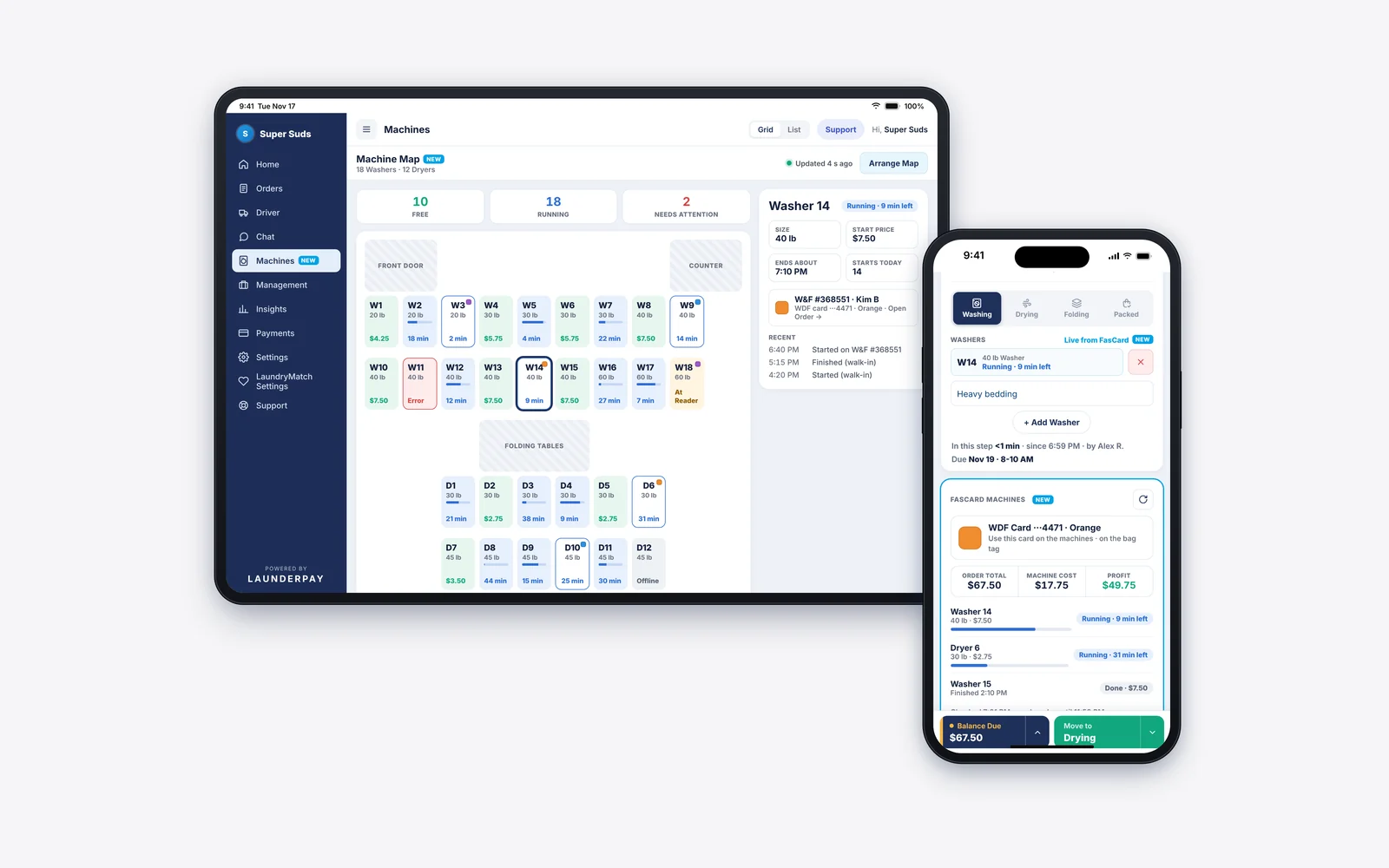
FasCard stores also get Start a Machine and the Machine Map. Tap Start a Machine on the order or the map, then press Start at the machine's reader. A double tap can't start a machine twice. The Machine Map shows every washer and dryer as Free, Running, or Needs Attention, laid out like your store, and refreshes every 30 seconds. It works on phones too.
Laundry cards at the counter
Laundry cards are part of the same picture. With LaunderPay, FasCard and LaundryCard stores can look up a customer's card, see the balance, and load it right at the counter: $10, $20, $40, $50, or any amount from $1 to $500. The customer pays with cash, a card reader, a saved card, or a new card, and the card is only loaded after the payment is saved.
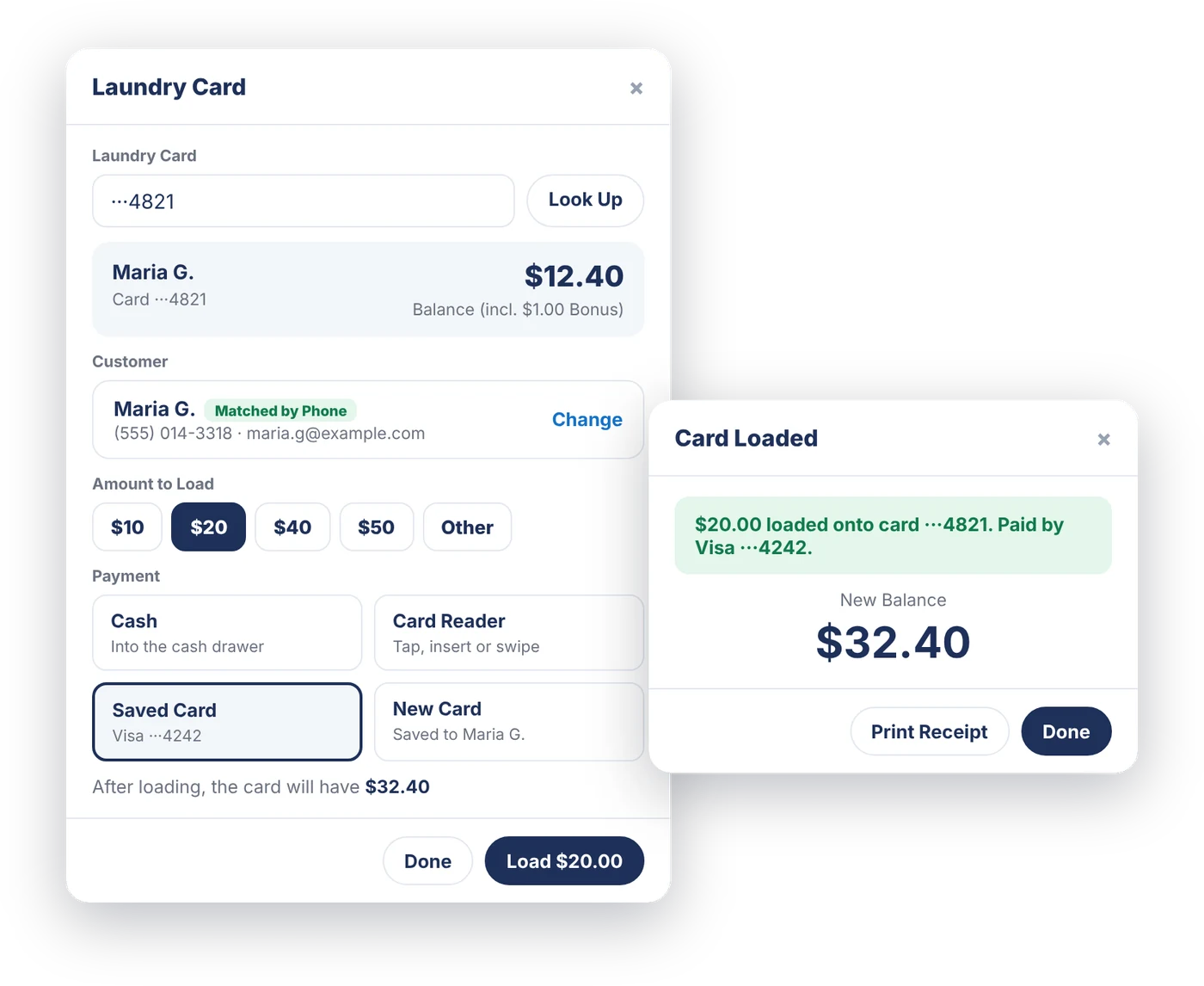
Customers can also pay with their laundry card at the cart, on the order screen, or on your phone. LaunderPay checks the balance before it charges, and if a sale isn't saved, the money goes back on the card.
Here's the part that matters for your numbers: card loads show in Payments history and the Cash Drawer as "Laundry Card Load," but they aren't counted in Sales. Money loaded onto a card hasn't been spent on laundry yet, so keeping it out of Sales keeps your profit and cost per pound honest.
Getting set up
- Every store: open Settings > Machines and add your machines, sizes, and prices.
- CCI stores: open Settings > CCI Point-Of-Sale, choose FasCard or LaundryCard, and enter your store's own CCI login. The password is stored encrypted.
- FasCard stores: turn on WDF ProLink, pick your location, tap Get Machines from CCI, then Arrange Map.
See what each kind of store gets on our CCI integration page.
The Bottom Line
You can't price wash & fold well without knowing what it costs. Work out one order by hand to see where the money goes, then let your POS do it for every order after that.
LaunderPay shows machine cost and profit on every order for every store, and with CCI it adds laundry cards at the counter, WDF ProLink, Start a Machine, and the Machine Map. It's all part of LaunderPay, the all-in-one POS built by laundromat owners, with every POS feature included for $70/mo per store and no contracts. See it with your own prices in a free demo →