Gift cards that bring them back.
Let your customers buy, send and pay with gift cards, at the counter, online or by text. Reward points on every dollar give them a reason to come back.
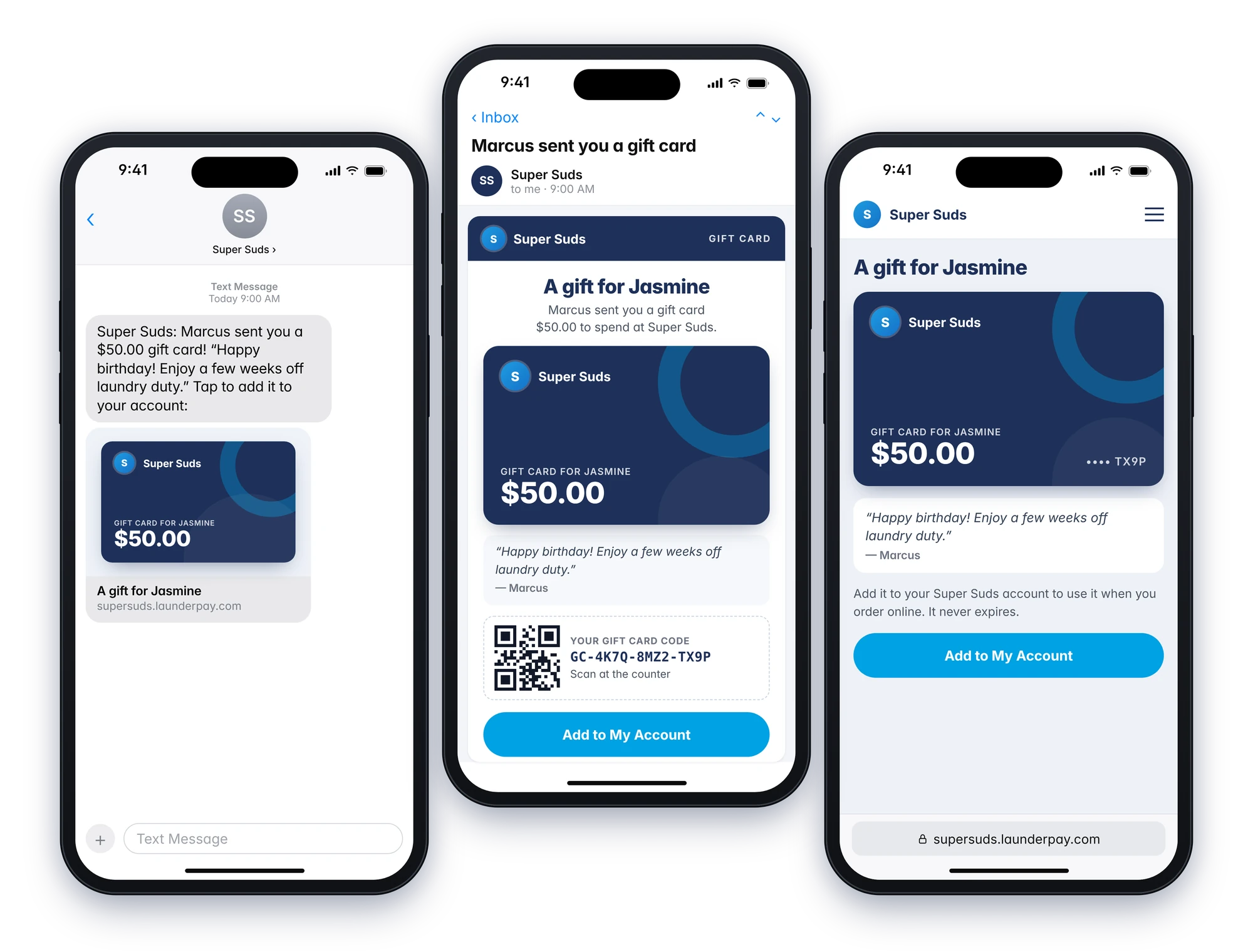
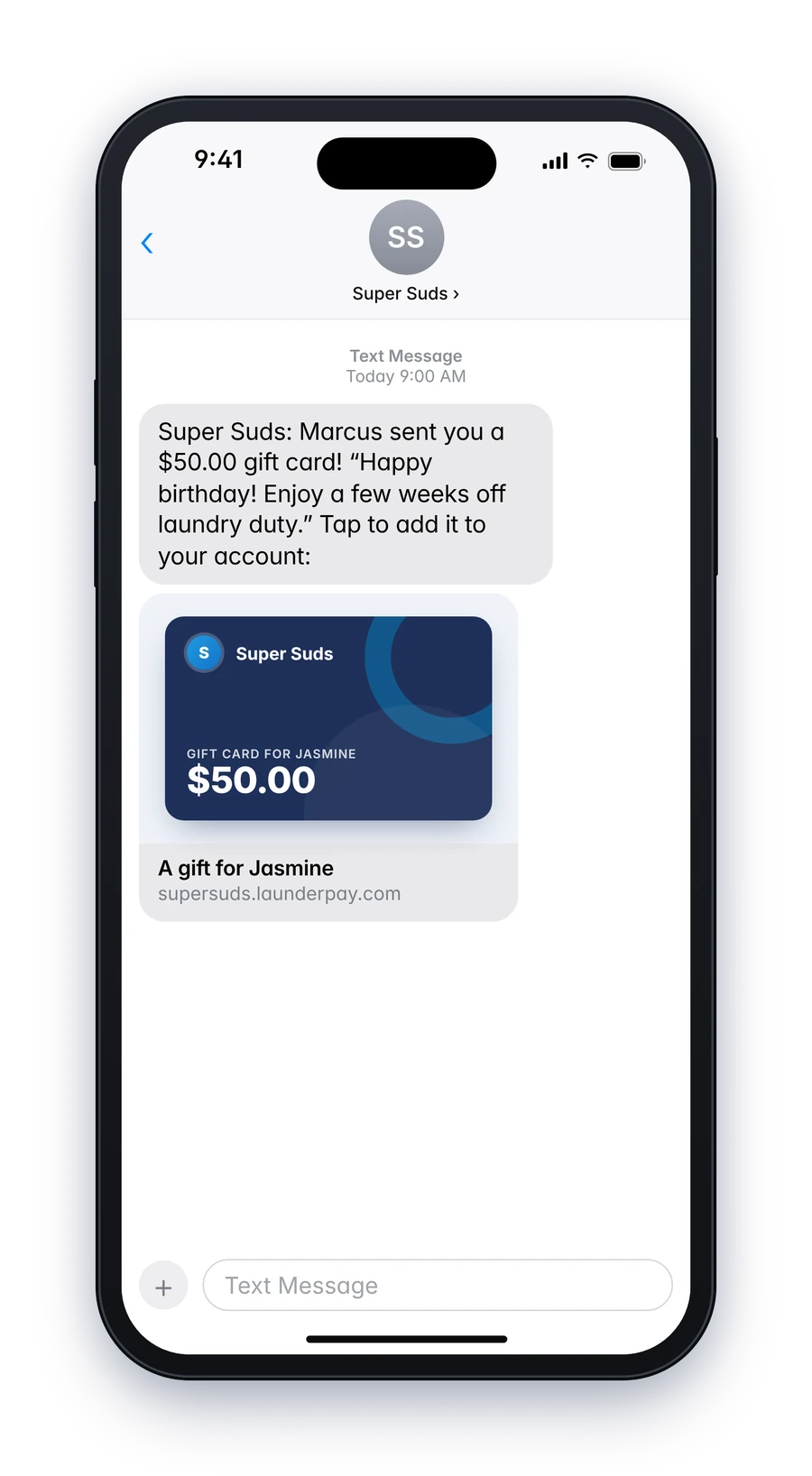
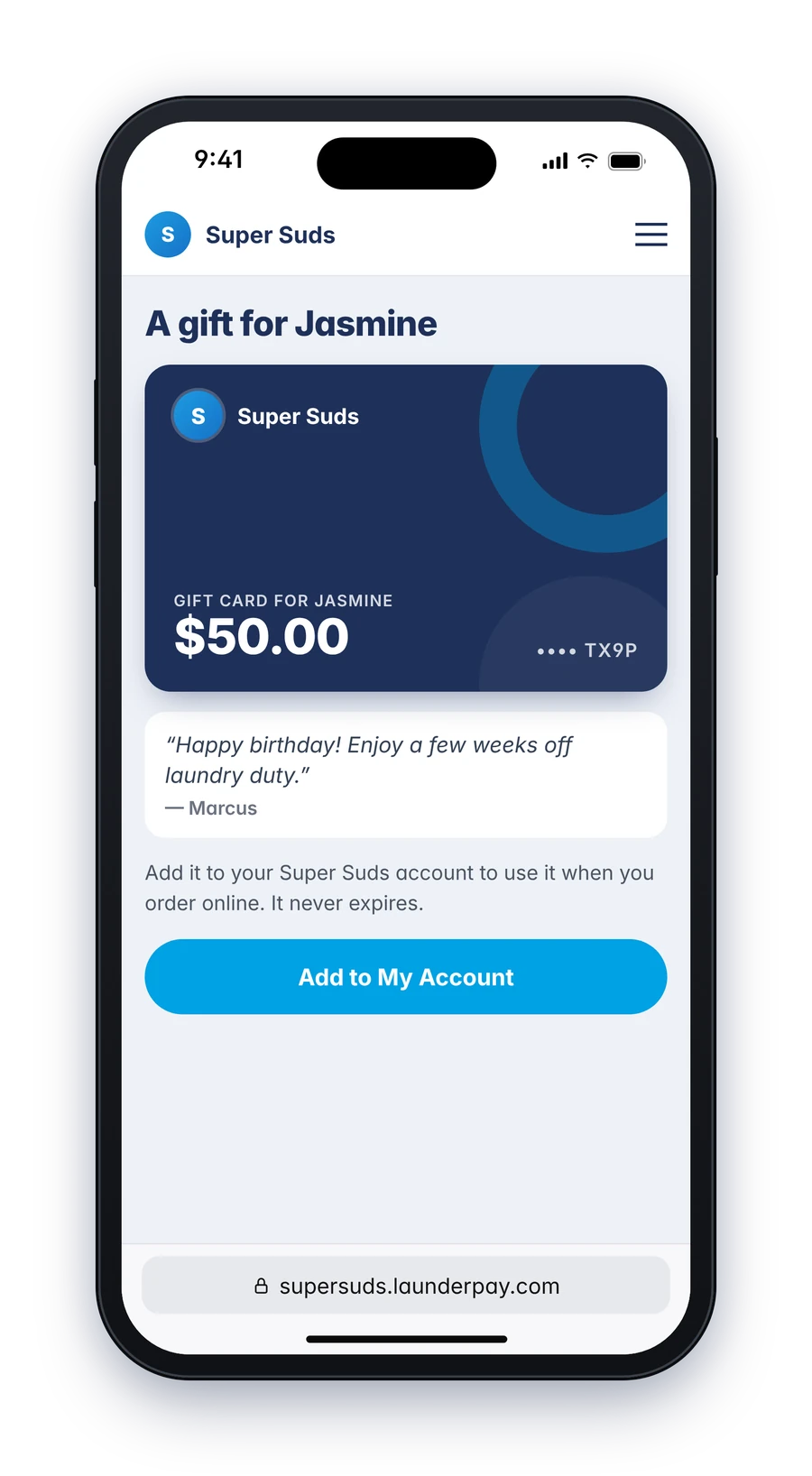
Sent by email or text. Saved in one tap.
Each gift card has its own code and a link to the card on your store's website. Customers add it to their account and it pays on its own when they order online.
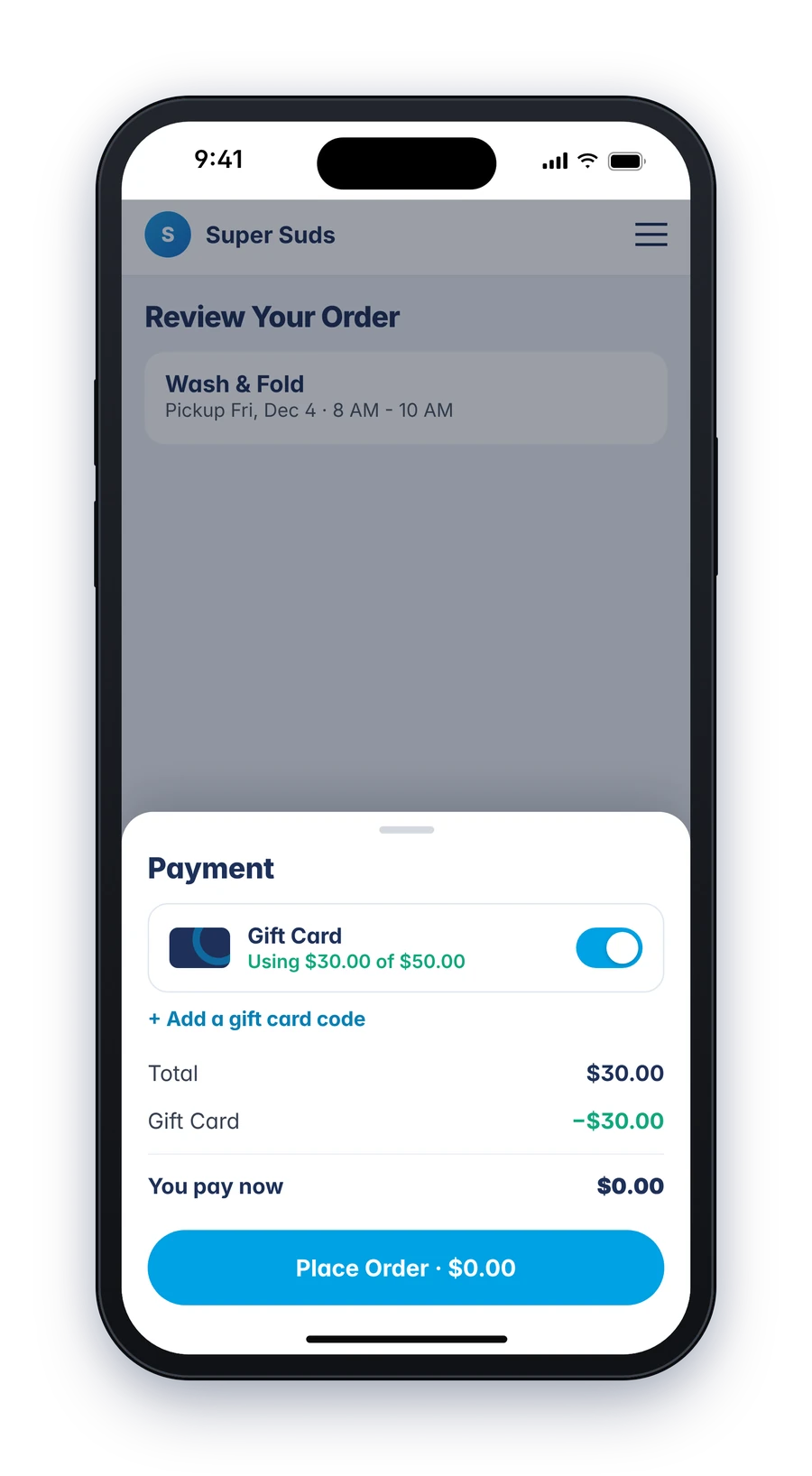
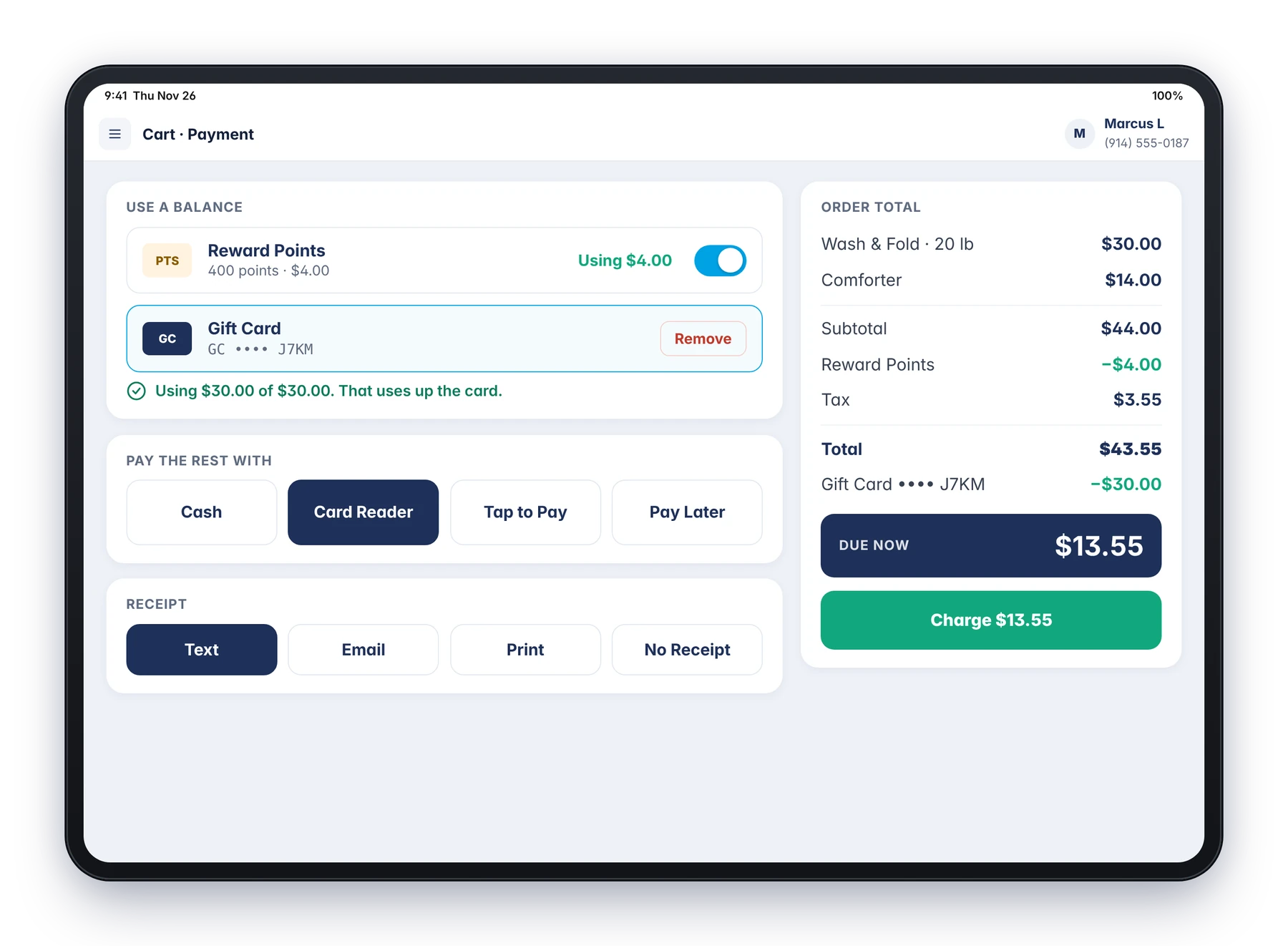
Scan the code. The card pays first.
Staff scan the QR code or type the code in the cart. The gift card covers what it can, and the customer pays the rest with cash or card. Whatever is left stays on the card.
- Works right in the cart
- Use some now, keep the rest
- Reward points and a gift card on the same sale
- Cancelled orders put the money back
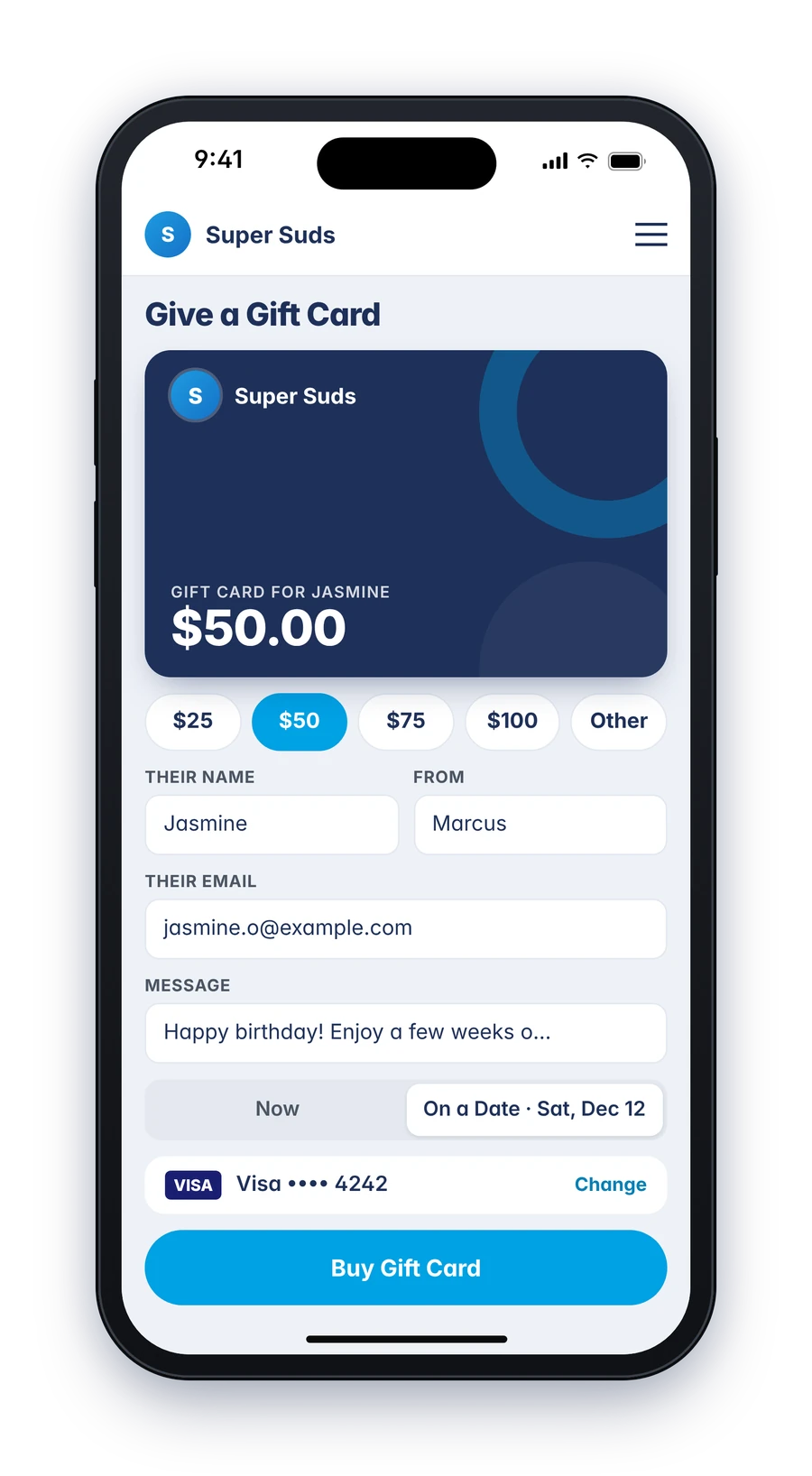
Bought online. Sent on the day that matters.
Turn on Sell Online and customers can buy a gift card on your store's ordering site, write a message, and send it now or on a date they pick. It arrives at 9 AM that day.
- Your amounts, plus Other
- Send now or on a date
- Paid with the customer's saved card
- Gift cards expire only if you choose
No website yet? We'll build you one for free ›
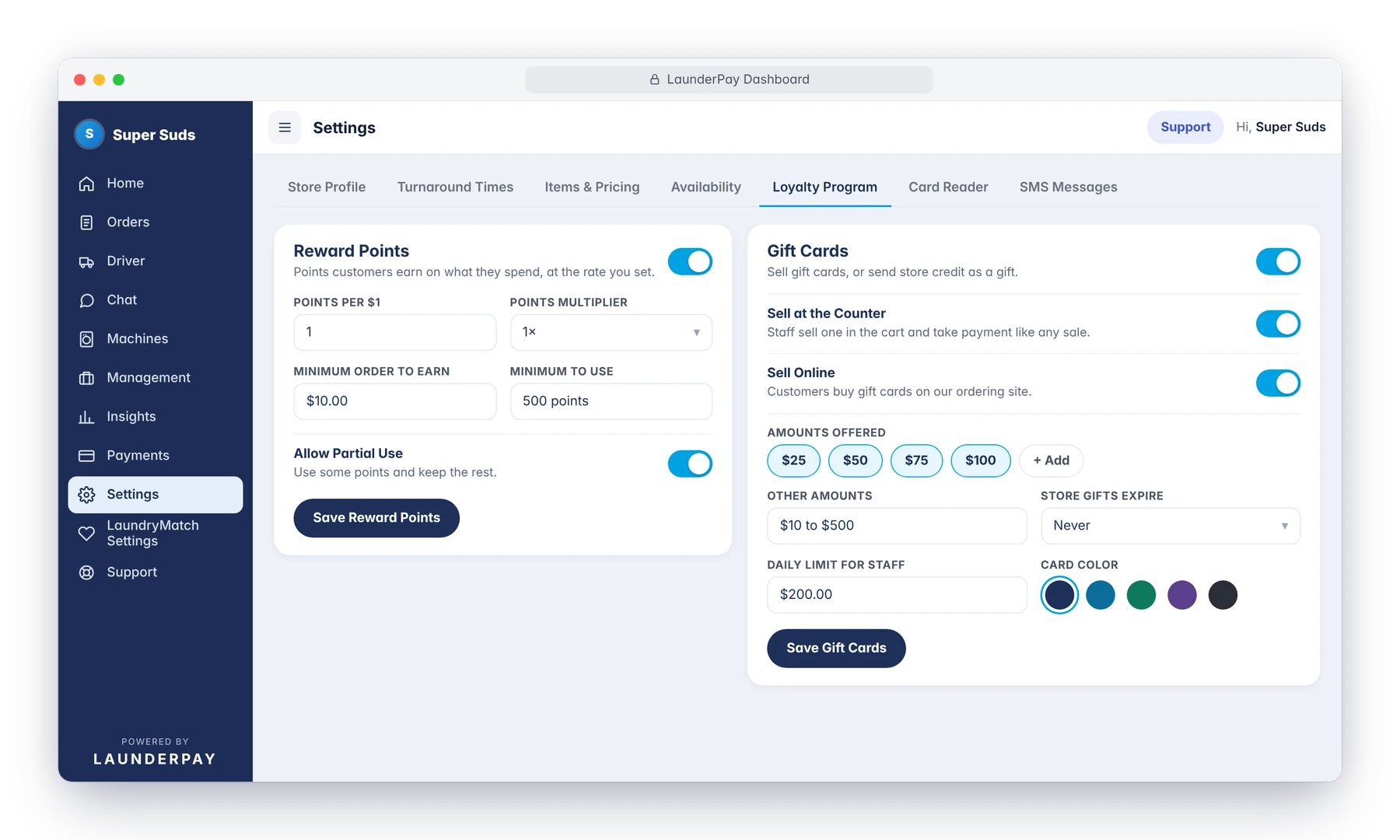
Your amounts, your color, your rules.
Everything lives in Settings › Loyalty Program. Pick the amounts you offer, the card color, and whether you sell at the counter, online or both. Set how points are earned and when Store Gifts expire.
- Card colors: Navy, Ocean, Forest, Plum and Charcoal
- Each card shows your store's name
- Daily limit on free credit for staff
- Your earn rate, multiplier and minimums for points
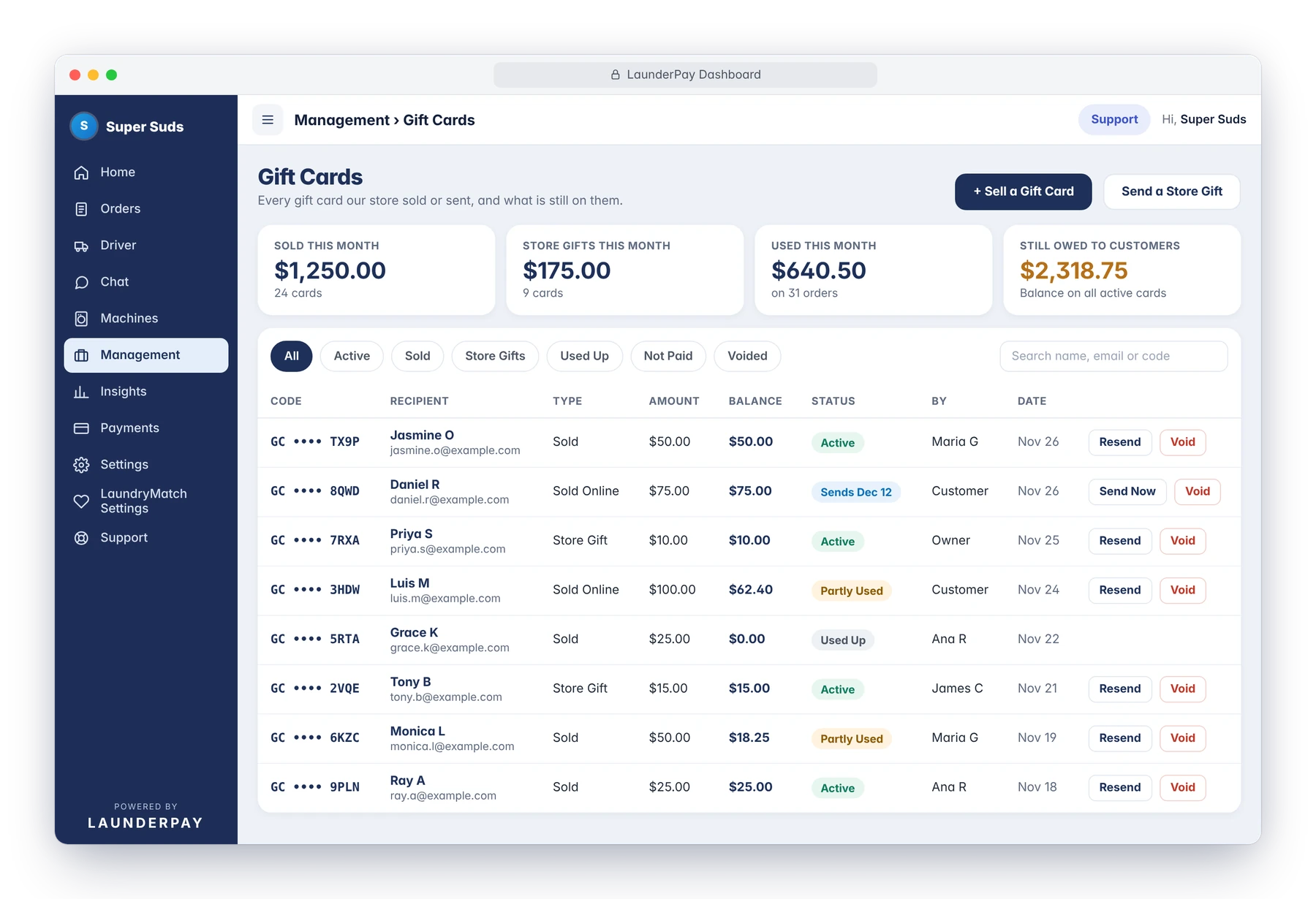
Every card. Every balance.
Management › Gift Cards shows every card you've sold or sent, who it went to, what's left on it, and what's still owed to customers. Resend a card with a new code, send a scheduled card now, or void one.
- Filter by Active, Sold, Store Gifts, Used Up and more
- Totals for sold, gifted and used
- Each customer's points and gift cards on their Wallet tab
Set up in three steps.
Gift cards and reward points are off until you turn them on.
Questions owners ask.
Do gift cards expire?
Gift cards expire only if you choose. You decide in Settings › Loyalty Program.
Can a customer use part of a gift card?
Yes. The gift card pays what it can, and the rest stays on the card for next time.
What happens if an order is cancelled?
The gift card money and any reward points used on the order go back to the customer.
Can staff send free credit?
Yes. Send a Store Gift as a thank-you, an apology or a promo, with a reason. Staff have a daily limit; the owner doesn't.
Do customers need an app?
No. The gift card comes by email or text, and customers use it at your counter or on your store's ordering site.
How do customers get their gift card?
By email, with a QR code to scan at the counter, or by text, with a link to the card on your store's website. Either way, one tap on Add to My Account saves it.
How do reward points work?
Customers earn points on what they spend, at the rate you set. You also set the multiplier and minimums. Customers can use some or all of their points, at the counter or online.
Are gift cards and rewards included?
Yes. Gift cards and reward points come with LaunderPay at $70 a month per store, with every POS feature included. Turn them on in Settings › Loyalty Program.
Laundry runs better here.
See gift cards and rewards with your own store in a free demo. $70 a month per store, with every POS feature included.
Book a Free Demo